
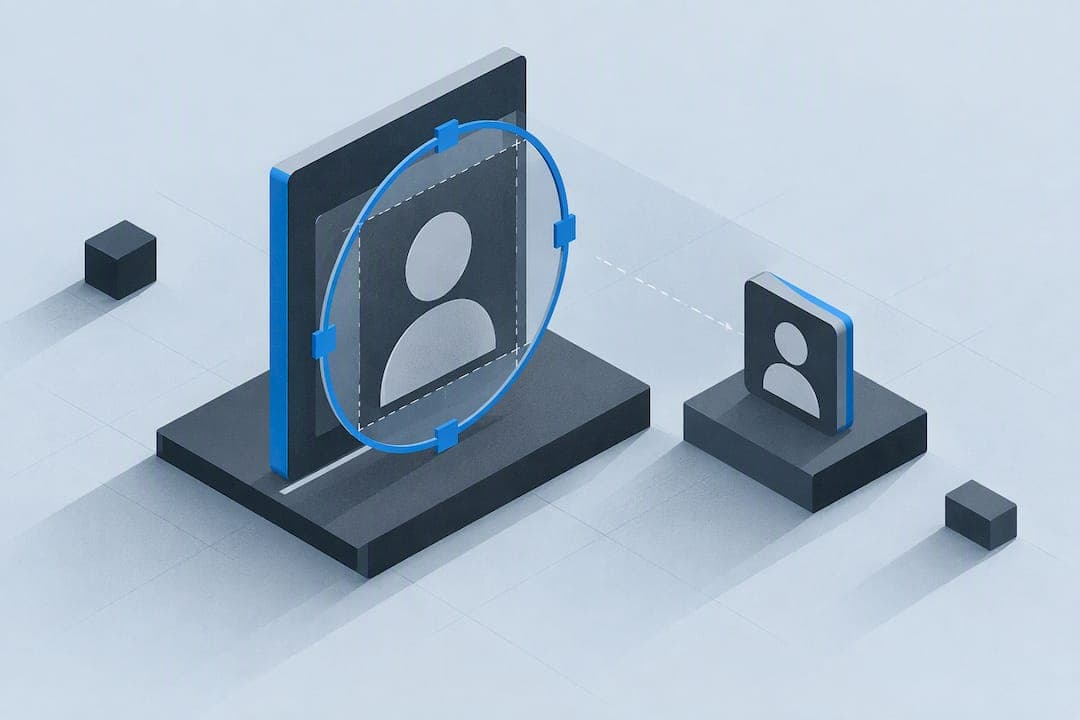
To change your TikTok profile picture, go to Profile, tap Edit profile, choose Change photo, then take a new shot or upload one from your gallery and save. To download someone's PFP, copy their username or profile link into a downloader tool or just screenshot it. Upload a square image at least 200×200 pixels, ideally 400 pixels or higher, and keep your face centered since TikTok crops everything into a circle.
TL;DR:
- Upload images between 400 and 1000 pixels square to ensure sharpness on high-resolution screens, remembering TikTok crops images into a circle.
- Keep essential content, like faces or logos, within the central 60 to 80 percent of the square to prevent clipping by the circular display.
- Download profile pictures using username or profile link tools for full resolution, or crop a screenshot if tools are unavailable.
- Use lighting with soft, diffused light and crop slightly wider than needed to optimize face visibility and profile engagement.
- Utilize automatic photo enhancement tools for quick, consistent sharpening and color correction before uploading.
Table of Contents
- How to Change Your TikTok Profile Picture
- How to Download a TikTok Profile Picture
- What Size and Format Should a TikTok Profile Picture Be?
- Design Choices That Actually Read at Thumbnail Size
- A Quick Editing Workflow to Sharpen Your PFP
- Quick Rules I Use When Preparing a PFP
- A Faster Way to Polish Your TikTok Profile Picture
- Sources
- FAQ
How to Change Your TikTok Profile Picture
Changing your photo takes under a minute once you know where to tap. Both iOS and Android follow the same path inside the app:
- Open TikTok and tap Profile in the bottom right corner.
- Tap Edit profile.
- Select Change photo under your current picture.
- Choose Take photo, Upload photo, or pick one of TikTok's built-in avatars.
- Crop the image inside the circular frame, then tap Save.
One thing that trips people up: if you've set a profile video instead of a static photo, TikTok displays the video thumbnail everywhere and your still photo gets hidden until you remove the video. If the upload button won't respond, update the app first. Most failed uploads trace back to an outdated version, a denied photo-library permission, or an image below the minimum pixel size. TikTok accepts standard JPG and PNG files; anything oddly formatted (like a raw camera file) will usually get rejected.
How to Download a TikTok Profile Picture
Grabbing someone's PFP, or saving your own before you edit it, is simpler than most people expect. Reputable PFP downloader tools let you pull the full-resolution image using nothing but a username or profile link.
- Copy the username or paste the profile URL directly into the downloader.
- Preview the image it returns to confirm it's the current photo, not a cached older version.
- Save it: on iPhone, it lands in your Photos app; on Android, check your Downloads folder or gallery; on desktop, right-click the preview and choose Save As.
- If a downloader site is down or blocked, a screenshot works as a fallback. Just crop tightly to a square afterward, since TikTok will crop it again anyway.
One caution worth repeating: downloading someone else's photo for reuse without permission can cross into copyright or impersonation territory. Save your own images freely; treat other people's photos as borrowed, not owned.
What Size and Format Should a TikTok Profile Picture Be?
TikTok's technical requirements are forgiving, but the recommended minimum is 200×200 pixels, and going higher makes a real visual difference on modern screens.
Quick spec check: Upload a source image between 400 and 1000 pixels square. TikTok will downscale it as needed, but you can't upscale a blurry 150px photo into something sharp. JPG, PNG, and WebP all work; keep the file under a few megabytes so upload doesn't stall on slower connections.
The part people miss entirely is the crop. TikTok displays every profile picture as a circle, which means content sitting near the corners of your square image gets sliced off completely. Practitioners generally recommend keeping anything essential (a face, a logo, text) inside the central 60 to 80 percent of the frame, treating the outer edge as a buffer zone rather than usable space.
Before you export:
- Sharpen slightly, since even a mild sharpen pass helps detail survive the resize.
- Resize to your target dimensions rather than letting TikTok's compression do all the work.
- Compress moderately for upload speed, but don't crush the file so hard that skin tones or edges turn blocky.
Design Choices That Actually Read at Thumbnail Size
A profile picture that looks great full screen can turn into a smudge in a comment thread. TikTok shows your PFP in dozens of tiny contexts, so design for the smallest version first, not the largest.
Frame your face to fill roughly two thirds of the circle, and center your eyes rather than your chin or shoulders. Landscape-oriented portraits are the most common mistake here. They force an awkward, off-center crop when squeezed into a square, and the result often lands with an ear or half a face at the visible edge instead of two eyes and a clear expression.

Match your expression to your niche. A neutral, confident look with direct eye contact tends to read as more authoritative for business or professional accounts, while a genuine smile performs better for lifestyle and personal creators. Backgrounds should be plain or high contrast against your subject; skip small text or fine logo detail that vanishes below 60 pixels. Faces generally outperform logos for creator accounts, while logos hold up better for business profiles, provided the mark is simple.
Coherence matters more than most people realize. If your PFP is warm and golden-hour lit but your three pinned video thumbnails are flat and gray, your profile reads as disjointed the second someone scans it. Matching light quality and color palette across your PFP and pinned content signals a consistent creator, not a random one.
Pro Tip: Shrink your finished PFP down to 30 pixels wide on your screen before uploading. If you can't tell who it is at that size, TikTok's viewers won't be able to either.
A Quick Editing Workflow to Sharpen Your PFP
Getting from a decent photo to a crisp, upload-ready PFP follows a short, repeatable sequence:
- Start with your highest-resolution source image, ideally shot in good light.
- Crop to a square, keeping your face inside the circular safe zone.
- Adjust exposure and contrast so the subject stands apart from the background.
- Apply a light sharpen pass and reduce visible noise, especially from low-light shots.
- Resize to your target dimensions and export as an optimized JPG.
Before you save, preview the result at both 30 and 60 pixels wide. That two-second check catches problems a full-size preview hides completely, like a face that's technically sharp but reads as mush once shrunk down.
Manual editing gets tedious fast if you're testing five or six versions before landing on the right one. This is where a tool built specifically for one-click correction earns its place: something that handles exposure, color, and detail sharpening automatically, with a side-by-side before-and-after preview so you can judge the result instantly instead of guessing. Photo Enhancer works exactly this way, and it's covered in more detail below.
Quick Rules I Use When Preparing a PFP
Soft, diffused light beats a ring light every time; harsh direct light flattens features at small sizes. I shoot slightly wider than I think I need, since cropping tight later always costs more than it seems worth upfront. And I've noticed accounts that swap a muddy, dim PFP for a sharp, well-lit one tend to see a small but real bump in profile visits within days, not weeks.
— John
A Faster Way to Polish Your TikTok Profile Picture
Most people don't have Lightroom skills or the patience for a five-step manual edit every time they want a new PFP. There are tools designed to fill that gap: you upload a photo, get one-click clarity, color correction, and detail sharpening, then compare the before-and-after side by side before you commit.

It fits naturally into the workflow above, replacing the manual sharpen-and-adjust steps with a single pass. Creators who need repeatable improvements without opening a full photo editor every time get the most out of it, especially anyone updating their PFP often to test what drives more profile visits. If you're going for a specific look, browse a sharp dressed profile style or an on-course golf look for inspiration before you upload. Try the Photo Enhancer on your current PFP and see the difference in the preview before you save anything.
Sources
Sizing guidance draws on Hootsuite's social media image sizes guide. Circle-crop behavior is confirmed by Moda.app's TikTok image sizes page. Design best practices come from PostUnreel's TikTok PFP guide, and downloader mechanics are detailed at DvTik.
- Social media image sizes guide — Hootsuite
- Moda
- TikTok PFP Guide: Best Profile Picture Ideas — PostUnreel
FAQ
What Is the Best Profile Picture Size for TikTok?
The minimum is 200×200 pixels, but uploading a source image between 400 and 1000 pixels square gives you a noticeably sharper result on high-resolution screens. Always crop to a square before uploading since TikTok will mask it into a circle regardless.
Can I Set a Video Instead of a Photo?
Yes, TikTok allows a short profile video in place of a static picture. When a profile video is active, it displays everywhere your photo normally would, and the still image stays hidden until the video is removed.
How Do I Download Someone's TikTok Profile Picture?
Paste their username or profile link into a PFP downloader tool to preview and save the full-size image. If no downloader is available, a screenshot cropped to a square works as a reliable backup.
Why Does My Profile Picture Look Cut Off?
TikTok displays every profile picture as a circle, so anything positioned near the corners of your square image gets clipped by the mask. Keep faces, logos, and text inside the central 60 to 80 percent of the frame to avoid losing important detail.
Does Hypergamy Offer a Tool to Improve My PFP?
Yes, Hypergamy's Photo Enhancer applies one-click clarity, color correction, and detail sharpening with a before-and-after preview. Pricing details are available directly on the product page.